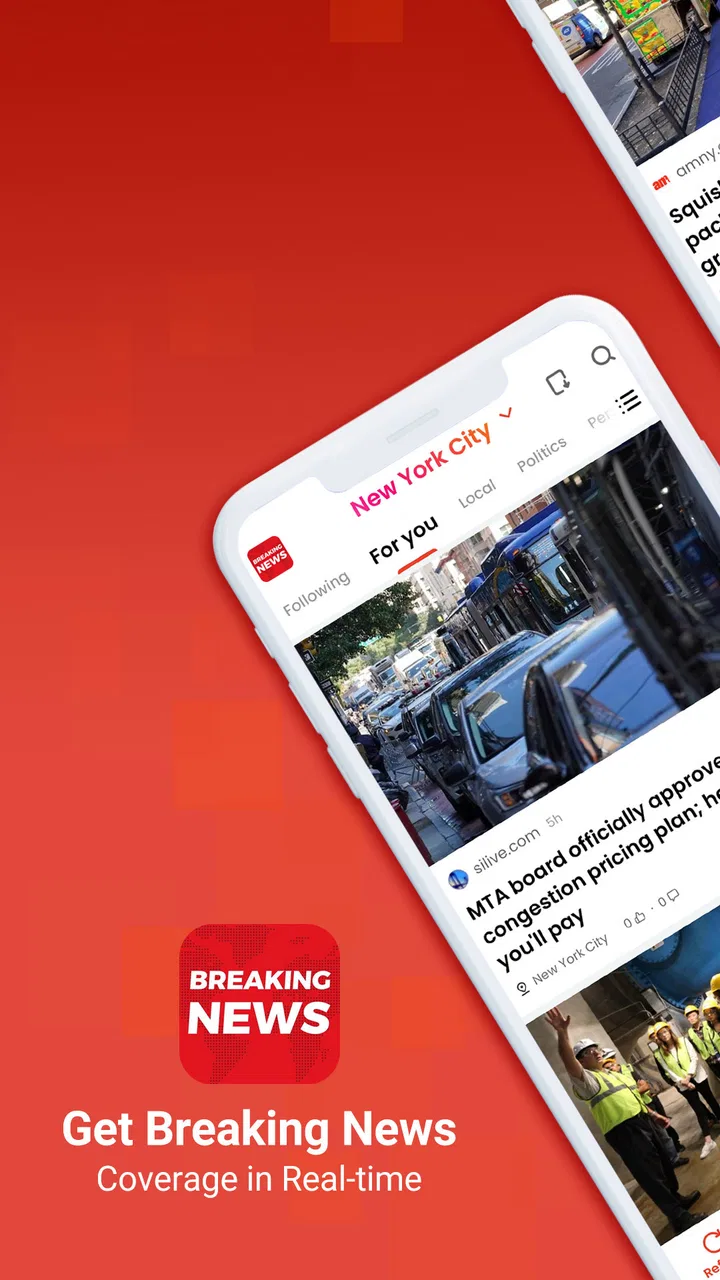
Breaking News - Live Headlines
- 4.4
- Rating
- 10.00M
- Installs
- Free
- Price

 Analysis by App-foxy
I use news apps differently from full newspaper websites: I want a quick way to see what is developing, understand which stories deserve more attention, and move on without turning every update into a long reading session. Breaking News - Live Headlines is built around that habit. It belongs to the News & Magazines category, is free to use, and focuses on bringing major world events into one place. After spending time with it, I found its main appeal is not deep reporting but fast awareness of what is happening now.
The app is developed by YING LIANG HK LIMITED and is available for Everyone. It has reached over 10 million installs and holds a 4.4 average from around 36 thousand ratings, which suggests that its straightforward approach works for a broad audience. I would recommend it to someone who wants a compact news companion for short checks during the day. I would not treat it as my only source when a story matters deeply, because a headline-focused app and a dedicated publication serve different purposes.
How Breaking News - Live Headlines feels during a normal day
The first thing I noticed is that the app makes sense as a starting point. I can open it when I have a few spare minutes, scan the current headlines, and decide whether I need a longer explanation elsewhere. That is more useful than it may sound. Many people do not need a complete newspaper experience every time they unlock their phone; they simply want to know whether anything important has changed since the last check.
You May Also Like

 AccuWeather: Weather Radar
AccuWeather Review: A Quick, Clear Forecast for Everyday Decisions
For everyday plans, the best forecast is the one you can understand quickly. AccuWeather makes rain timing, radar, and local conditions easy to act on, with a few trade-offs.

 Hill Climb Racing
Why Hill Climb Racing Still Turns Crashes Into One More Run
A tiny car, a bumpy hill and one more upgrade: Hill Climb Racing keeps resurfacing because its simple chaos makes every near-miss feel personal.

 AliExpress - Shopping App
AliExpress Makes Global Shopping Feel Personal, but Shoppers Bear the Risk
AliExpress turns a global marketplace into a pocket-sized discovery engine. Its reach is useful, its shopping loop compelling, and its trade-offs easy to miss.

 Lords Mobile: Kingdom Wars
Lords Mobile Is a Kingdom-Building Routine, Not a Quick Match
A case-by-case verdict on the building, battles, device demands, and social commitments that make Lords Mobile rewarding for some players and exhausting for others.

 PDF Scanner app - TapScanner
TapScanner Makes Paperwork Easier to Capture, Check, and Share
TapScanner makes scanning with a phone feel less like a rescue operation and more like a dependable step in getting work done. Its capture tools are useful, though not flawless.

 Block Blast!
 Shows How Much a Puzzle Game Can Leave Out
A quiet grid game shows why puzzle players increasingly value instant clarity, repeatable skill and low-pressure play—and where the genre still needs to catch up.
More From Our News Desk
View All News


That makes the app especially practical in everyday situations. Imagine checking the news before leaving for work, during a coffee break, or while waiting for an appointment. A broad selection of current headlines can help you spot a major international event, a developing public issue, or a subject worth following later. The value is in reducing the effort needed to begin. I do not have to remember which individual publication might be covering a story.
The trade-off appears immediately as well. A headline can tell me that something is happening without giving me enough context to understand why it matters. I may still need to read a full article, compare coverage, or look for background from a trusted specialist source. I see this app as a doorway into the news rather than a replacement for careful reporting.
Speed expectations: useful for quick checks, not a promise of instant understanding
The store presents the app as a way to follow breaking news and major world events. In practical terms, that sets the right expectation for the kind of speed it aims to provide: quick access to current headlines rather than lengthy analysis. When I open it for a brief update, the experience feels focused because I can begin scanning without committing to a long reading session.
There is an important difference between fast delivery and fast comprehension. A stream of headlines can help me notice a story early, but it cannot automatically answer the questions I have next. Who is affected? What happened before this update? Is the situation confirmed or still changing? For those questions, I would move from the app to a detailed article or an official source.
My most useful workflow is to use the app in two passes. First, I scan broadly and identify one or two subjects that genuinely matter to me. Then I stop scrolling and investigate those subjects through more detailed coverage. This prevents the common news-app problem of consuming dozens of fragments while remembering very little. The app works best as a filter for attention, not as a substitute for attention.
I also prefer opening it when I have a clear purpose. A quick morning scan is sensible; repeatedly refreshing throughout the day can become noisy and unproductive. If you are sensitive to constant updates or find headline streams stressful, setting a personal routine is better than letting the app dictate your schedule.
Heavy-use moments: where the simple format helps and where it falls short
The app becomes more useful when several major stories are competing for attention. During a busy news cycle, visiting separate sites one by one can feel inefficient. A centralized headline view gives me a faster overview and helps me decide which subject deserves a closer look. This is one of its strongest practical advantages over relying on a single newspaper app.
It is also convenient when my interests change from day to day. One morning I may care about international events; later, I may want a general sense of what people are discussing elsewhere. Because the app is positioned around global news delivery, it suits that broad, flexible habit better than a narrowly focused publication. I can use it as a general radar rather than building a separate routine around every topic.
However, heavy news consumption exposes the limits of a headline-centered design. If I am trying to understand a complicated conflict, an election, a financial development, or a scientific announcement, short entries can leave too much missing. I would not use the app alone to make an important decision, repeat a claim to someone else, or judge a complicated event from a single glance.
Another trade-off is mental overload. More coverage does not always mean better awareness. When many stories appear close together, the reader has to choose what to ignore. I found that the best approach is to treat the first screen as a sorting stage: scan, select, and leave. Reading every headline can create the feeling of being informed without the substance that informed judgment requires.
A useful habit is to keep a small note of stories that need follow-up. I might write down a topic rather than trying to remember a dramatic headline word for word. Later, I can search for a full explanation from a publication with clear authorship and context. This workflow turns the app into a practical discovery tool instead of an endless feed.
Reliability: stable expectations matter more than dramatic presentation
For a news app, reliability has two sides. The first is whether it remains usable when I open it for a quick update. The second is whether the information itself is presented with enough context for me to trust my interpretation. Breaking News - Live Headlines is most convincing on the first point: its purpose is clear, and the experience is centered on getting to current headlines without unnecessary complexity.
The second point requires more care from the reader. A headline is not the whole story, and a changing event may develop after I read it. I would always check the details before sharing something important, especially when a headline is emotionally charged or unusually brief. This is not a criticism unique to this app; it is a basic rule for consuming breaking coverage through any short-format news service.
When I compare it with a single publisher’s app, I notice a difference in editorial relationship. A newspaper or broadcaster usually gives me a recognizable reporting style, a clearer path to analysis, and more continuity between articles. This app is more useful when I want breadth and discovery. The dedicated publication is better when I already know which newsroom I trust and want depth from that source.
Compared with social media, the app can feel less distracting because I am opening it specifically for news rather than encountering headlines mixed with personal posts, entertainment, and arguments. At the same time, social platforms sometimes expose eyewitness material or specialist discussion faster, while also carrying greater risks of rumor and context loss. I prefer the app for a first scan and established reporting for verification.
Compared with a browser, the app offers a more direct routine. A browser gives me unlimited choice, but that choice creates friction: I need to decide where to go before I can see what matters. The app reduces that first decision. Its weakness is that I may need to leave it sooner when I want a long investigation, a particular columnist, or a clearly organized archive.
Device constraints: a modest requirement, but not a complete performance guarantee
The current version is 13.2.2254.79550, and the app supports devices running Android 6.0 or later. That broad compatibility is helpful for people who keep an older Android phone rather than upgrading frequently. It also makes the app a reasonable candidate for a secondary device used for travel, work, or quick information checks.
Still, an older operating system does not automatically mean identical performance on every phone. Hardware age, available storage, background activity, and network quality can all affect how comfortably a news app behaves. I would be cautious about judging the experience from the operating-system requirement alone. A newer phone with a crowded system may feel less responsive than an older but well-maintained device.
News applications also depend heavily on connectivity because their usefulness comes from current material. In a weak signal area, the experience may be less satisfying regardless of how well the interface is designed. I would not rely on any live-news app as my sole source during a flight, in a rural area with uncertain coverage, or during a commute where the connection repeatedly drops.
Resource demands are another practical consideration. A quick headline check should not require the same commitment as watching video or browsing image-heavy pages, but frequent updates can still encourage longer sessions than planned. If your phone is short on storage, battery, or mobile data, use the app deliberately rather than leaving it open all day. I found that closing it after a focused check is a better habit than treating it as a permanent background companion.
For readers using iPhones, the broader question is whether this particular app fits their preferred news routine and available store version. The core editorial decision remains the same: choose it for broad headline discovery, not because it replaces every publication or every form of reporting. Android users with the stated minimum system requirement have a clear compatibility baseline, while the actual feel will still depend on the device.
Who will get the most from it?
I think the app is a good match for casual readers who want a general view of global events without subscribing to several individual publications. It can also suit students who need to identify current topics before researching them properly, travelers who want a quick sense of international developments, and busy professionals who only have short windows for news during the day.
It is particularly useful for people who do not want their news routine tied to one editorial voice. A broad headline service can reveal subjects they might not encounter through a single favorite publication. That wider starting point is valuable, provided the reader is willing to check the original reporting before reaching a firm conclusion.
I would suggest skipping it, or using it only alongside another source, if you want long-form journalism, specialist reporting, investigative work, or a carefully personalized reading archive. Someone who already has a trusted newspaper subscription may find more value in that publication’s own app. Likewise, readers who dislike rapidly changing headline feeds may prefer a weekly magazine, newsletter, or slower news format.
The free price removes a major barrier for someone who simply wants to try it. The Everyone age rating also makes it accessible for a wide household audience, although parents should still encourage younger readers to discuss difficult current events with context rather than relying on headlines alone. Accessibility does not remove the need for media literacy.
Three practical habits that improve the experience
First, I recommend separating discovery from verification. Use the app to notice a story, then read beyond the headline before sharing it. This is especially important with breaking events, where early reports can change quickly. The extra step takes little time and prevents the app’s greatest strength—speed—from becoming a source of misunderstanding.
Second, create a stopping rule. I might scan until I have found a few subjects worth following, then close the app and choose one for deeper reading. This keeps the broad coverage useful without allowing an endless stream of updates to consume the entire break. It is a small behavioral adjustment, but it makes the app feel more purposeful.
Third, compare the app with the source you trust most. If a headline concerns health, money, safety, law, or a personal decision, I would use the app as an alert and then look for a detailed article or official announcement. That combination gives me the convenience of a global overview without asking a compact news feed to do work it was not designed to do.
My performance verdict after regular checks
Breaking News - Live Headlines succeeds because it understands a common need: I often want to know what is happening before I decide whether I have time to read the full story. Its free access, broad Android support, and focus on current world events make it easy to consider as a daily news utility. The large install base and solid average rating also show that the format has found an audience, though those figures are not a substitute for deciding whether its style suits you.
My verdict is positive, with a clear boundary. I would keep this app for fast orientation, headline discovery, and those short moments when opening several news sites feels excessive. I would pair it with a trusted publication for context, confirmation, and specialist detail. If your priority is a quick, broad news check rather than a complete newsroom in your pocket, this is a sensible free option.
It is not the right choice for someone seeking a calm reading experience, deep analysis, or a single carefully curated editorial source. For me, its value comes from using it with discipline: open it, scan intelligently, choose what deserves attention, and verify anything important. Used that way, it becomes a practical first stop for the day instead of another feed competing for it.
FAQs for Breaking News - Live Headlines
01What features does the Breaking News - Live Headlines app offer?
The Breaking News - Live Headlines app provides real-time news updates, customizable alerts, and a personalized news feed. It covers a wide range of categories, including politics, sports, entertainment, and technology. Users can also access video content, live coverage of major events, and in-depth analysis from various sources.
02Is the app free to use and are there any in-app purchases?
The app is free to download and use, allowing access to a wealth of news content. However, it offers in-app purchases for premium features, such as ad-free browsing and exclusive content. Users can choose these options to enhance their experience, but the core functionalities remain accessible without any charges.
03How can I customize my news feed in this app?
Customizing your news feed is simple. The app allows you to select your preferred news categories and topics during the initial setup. You can also adjust these settings later by accessing the customization options in the app’s menu. This ensures you receive updates only on the topics that interest you most.
04Does the app require an internet connection to function?
Yes, an internet connection is necessary to fetch the latest news updates and live coverage. While some content may be saved for offline reading, the app’s primary function relies on internet access to provide real-time news. Ensure a stable connection for the best experience with live updates and video content.
05How does the app handle user data and privacy?
The Breaking News app prioritizes user privacy and data protection. It collects minimal data necessary for personalization and performance. The app adheres to strict privacy policies, ensuring data is not shared with third parties without consent. Users can review the privacy policy in the app settings for detailed information.
Pros
- Real-time updates keep you informed.
- Customizable news categories.
- User-friendly interface design.
- Offline reading mode available.
- Push notifications for major news.
Cons
- Ads can be intrusive at times.
- Limited regional news options.
- Requires stable internet for updates.
- Occasional app crashes reported.
- Subscription needed for premium features.

Breaking News - Live Headlines
Gallery